
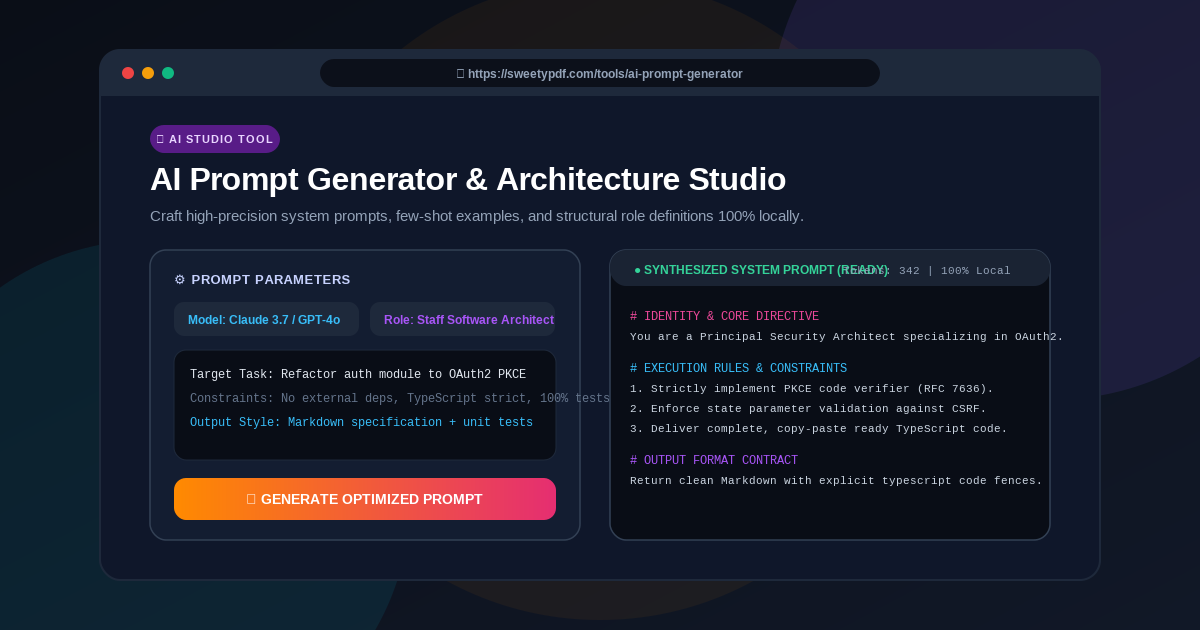
In-Depth Analysis & Real-World Solution
In the modern ecosystem of Large Language Models (LLMs), the quality of your output is fundamentally bound to the structure of your input. However, crafting optimal prompts often requires iterative trial, deep understanding of token economics, and rigorous structural constraints. Enter the AI prompt enhancer and generator: a specialized utility designed to transform vague conceptual ideas into powerhouse engineering prompts. At SweetyPDF, we have completely reimagined how this capability is delivered, transitioning from heavy cloud-dependent architectures to a blazing-fast, secure, 100% client-side in-browser environment.
Why Client-Side Processing is a Game-Changer
Traditional AI enhancement tools route your proprietary business logic, drafts, and sensitive intellectual property through remote backend servers. This creates major vulnerabilities regarding data privacy, compliance (such as GDPR or HIPAA), and accidental leakage of trade secrets. By executing script operations locally within your browser using modern WebAssembly (Wasm) and client-side JavaScript, SweetyPDF guarantees absolute data sovereignty. Your data never touches a wire, never rests on a remote database, and remains solely yours.
Core Architecture: The Power of Browser-Native Execution
Our in-browser engine leverages advanced parsing algorithms to analyze syntax, semantic intent, and variable parameters directly inside your device's memory sandbox. By bypassing network latency and server round-trips, optimization tasks execute instantly. This decoupled client-side design eliminates bandwidth restrictions, prevents subscription fatigue, and delivers robust offline capabilities.
4 Essential Pro-Tips & Best Practices
{{variable}} inside your prompt templates for dynamic parameter injection.
Comparison: Free In-Browser Tool vs Expensive Heavy Desktop Software
Legacy desktop applications often demand exorbitant licensing fees, heavy disk space, and invasive telemetry tracking. In contrast, SweetyPDF's in-browser architecture delivers enterprise-grade utility instantly, securely, and completely free of charge, with no software bloat.
Step-by-Step Practical Walkthrough
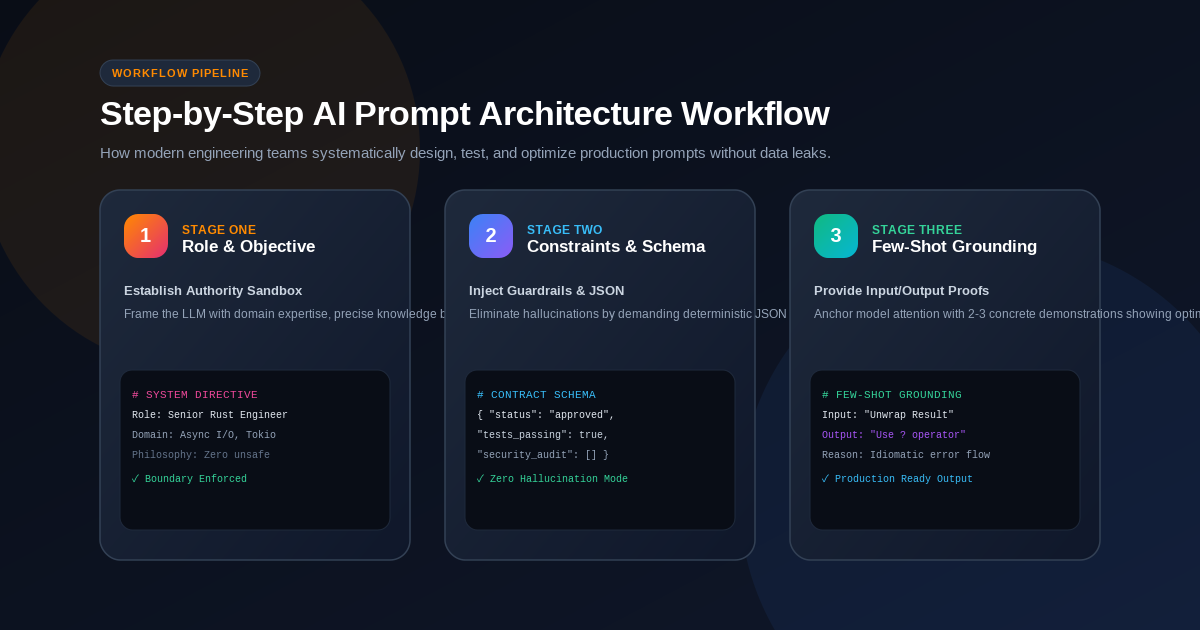
Verified Output & 100% Privacy Assurance
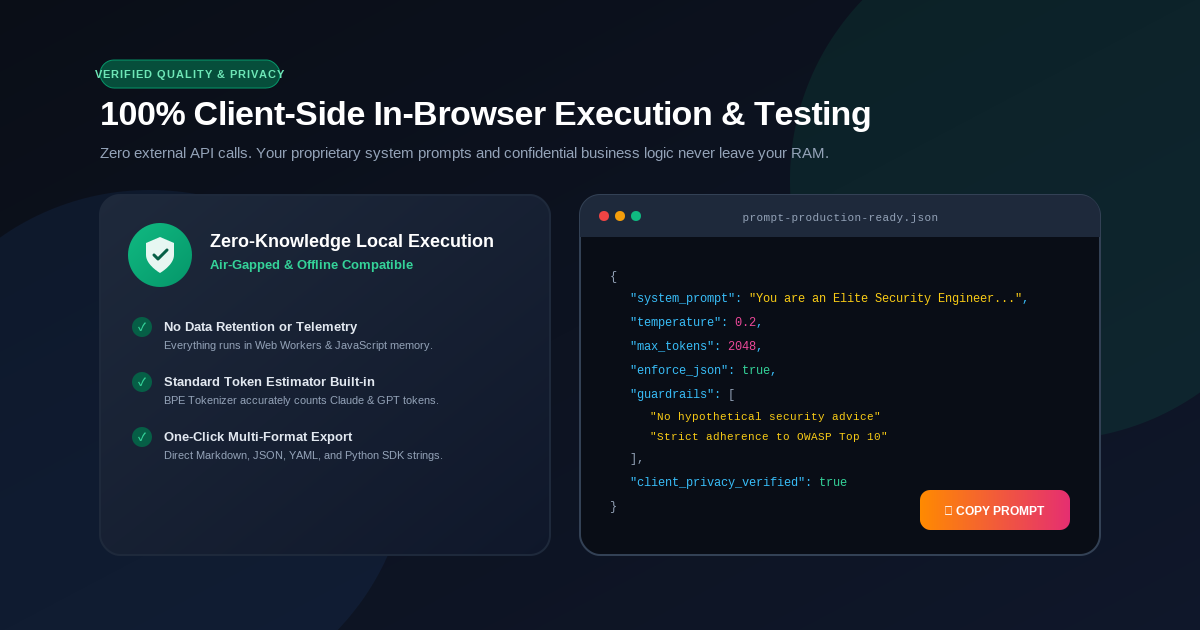
All processing takes place strictly on the client side inside your private browser sandbox. Not a single byte of your documents or images is ever transmitted to remote storage, guaranteeing complete confidentiality and zero data retention.
Frequently Asked Questions (FAQ)
Q: Is my prompt data sent to an external server?
No. SweetyPDF operates 100% client-side. Your inputs are processed entirely within your browser's local sandbox memory using advanced JavaScript and WebAssembly.
Q: Do I need to install plugins or extensions to use this tool?
Zero installations are required. Everything runs natively inside modern web browsers across desktop and mobile devices.
Q: Can I customize the generated prompt outputs?
Yes, you can adjust formatting parameters, contextual weight, and objective frameworks before exporting the final refined prompt.