

# The Ultimate Guide to Merging PDFs Online Securely (Without Uploading Your Data)
In today's fast-paced digital environment, document management is a daily bottleneck. Whether you are assembling a multi-vendor financial audit, compiling a creative portfolio, or bundling legal contracts, the ability to merge PDF online free is an essential workflow requirement.
However, convenience often comes at a hidden cost: your data privacy.
Traditional online PDF tools require you to upload sensitive documents to remote cloud servers. For businesses handling confidential client records, financial statements, or proprietary intellectual property, this poses an unacceptable security risk.
Enter SweetyPDF Merge PDF—a next-generation document utility that operates 100% client-side in your browser memory. By leveraging WebAssembly and HTML5, SweetyPDF allows you to combine your documents instantly without sending a single byte across the internet.
---
Understanding the Challenge: Why Merging PDFs is Critical for Digital Workflows

Modern workflows demand agility. Fragmented documents create friction across every industry: * Legal & Finance: Merging disparate invoices, bank statements, tax documents, and signed affidavits into a single, cohesive brief for court filings or compliance audits. * Corporate & Enterprise: Combining quarterly reports, department spreadsheets, and slide decks into a master executive summary. * Education & Research: Students and academics compiling research papers, syllabi, and reference materials into easily shareable digital archives.
Relying on legacy desktop software or emailing individual files back and forth is inefficient and error-prone. Version control breaks down, email attachment limits are routinely exceeded, and clients are left sorting through messy folders of disjointed files.
While free web tools solve the fragmentation issue, they introduce a massive security dilemma. When you use server-side converters, your private data travels over public networks and sits on third-party hard drives—vulnerable to breaches, unauthorized indexing, and data harvesting.
---
The Architecture Advantage: Why 100% Client-Side In-Browser Merging Wins
To understand why SweetyPDF is fundamentally superior to legacy converters like iLovePDF or SmallPDF, you need to look under the hood at how they process data.
``` [Traditional Cloud PDF Tool] Your Device ──(Uploads via Internet)──> Third-Party Remote Server ──(Downloads)──> Your Device * Risk: Data intercepted, stored, or logged on external servers.
[SweetyPDF Client-Side Tool] Your Device (WebAssembly / Browser Sandbox) ──(Zero Network Uploads)──> Done! * Benefit: Instant execution, absolute privacy, zero data exposure. ```
1. Absolute Data Privacy
With SweetyPDF, your files never leave your device. The entire PDF manipulation engine runs locally inside your browser's secure memory sandbox. Because there is no upload phase, compliance with strict data protection frameworks like GDPR, HIPAA, and CCPA is built-in by design. Your files cannot be leaked, hacked, or stored on remote servers because they never left your local machine.
2. Blazing-Fast Speeds
Server-side tools force you to wait twice: once to upload a heavy file over your internet connection, and again to download the processed result. SweetyPDF utilizes high-performance WebAssembly (WASM), executing complex document architecture tasks directly on your device's multi-core processor. Large files combine in a fraction of a second, entirely uninhibited by slow Wi-Fi or bandwidth caps.
3. Zero Installation & Cross-Platform Compatibility
Unlike legacy desktop software that requires bulky installation packages, administrator rights, and paid software licenses, SweetyPDF works instantly inside any modern browser (Chrome, Safari, Firefox, Edge). Whether you are on a Mac, Windows PC, Chromebook, or mobile device, your workspace is always ready.
---
Step-by-Step Practical Walkthrough: How to Combine Your Files in Seconds
Getting started with SweetyPDF’s secure merging engine takes less than ten seconds. Follow this straightforward workflow:
Step 1: Open the Free Merge PDF Workspace
Navigate to the SweetyPDF Merge PDF tool in your web browser. No registration, login, or software installation is required.
Step 2: Drag and Drop Your Files
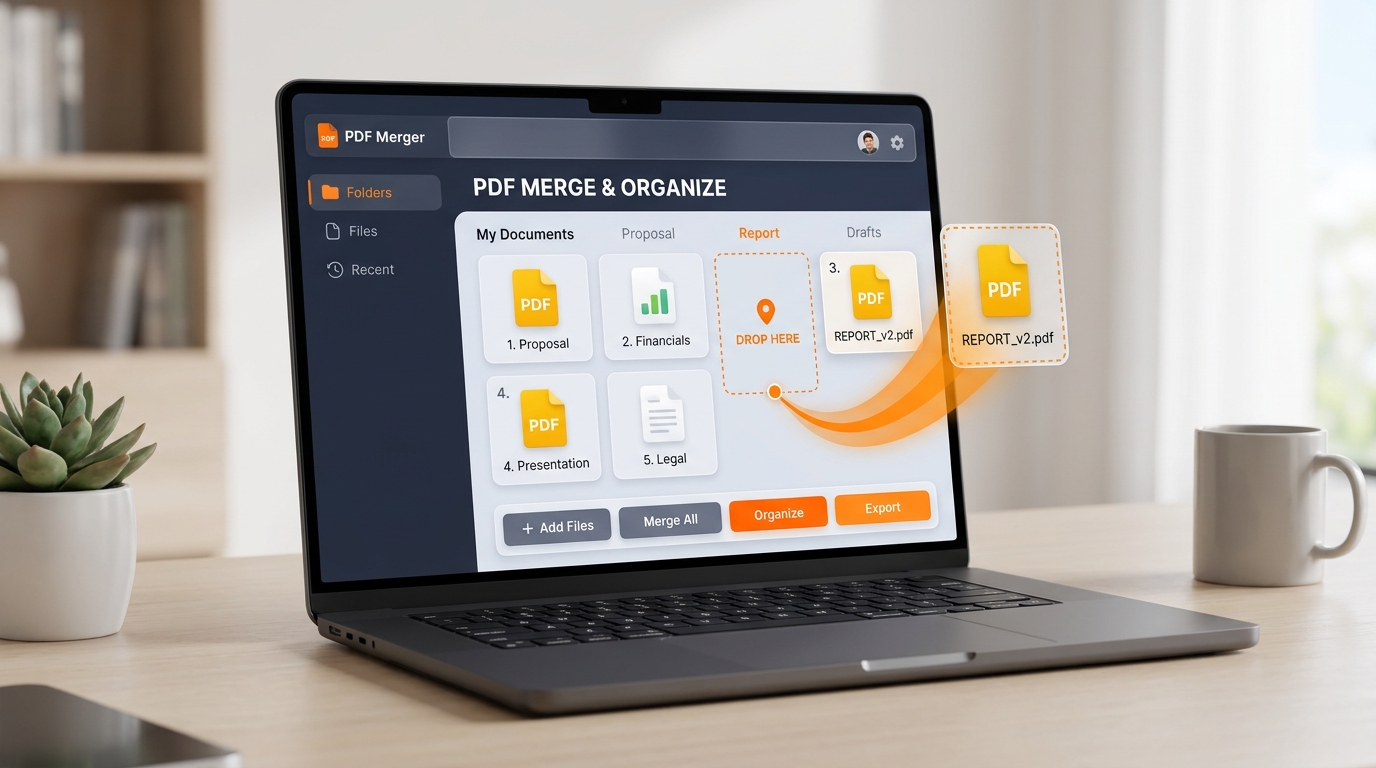
Drag your target PDF files, images, or documents directly into the visual browser dropzone. You can select multiple files simultaneously to batch-import your entire project payload.
Step 3: Reorganize with Live Thumbnails
Once loaded, SweetyPDF generates instant visual thumbnails of every page. * Reorder: Drag and drop pages or entire documents to arrange them in your preferred sequence. * Rotate: Fix upside-down orientation issues with a single click. * Delete: Remove unnecessary cover sheets, blank pages, or duplicate files instantly.
Step 4: Merge and Download Instantly
Click the "Merge PDF" button. The WebAssembly engine stitches your pages together locally in memory, generating a download link in milliseconds. Click download, and your pristine, high-resolution combined PDF is saved directly to your local drive.
---
4 Pro-Tips for Perfect PDF Merging
To ensure your final merged document looks professional and polished, keep these four actionable tips in mind:
01_Cover.pdf, 02_Body.pdf, 03_Appendix.pdf). This ensures they automatically queue in the correct logical sequence upon upload.
---
Comparison: Free Online Client-Side Tool vs. Adobe Acrobat Pro ($239/Year)
Before spending hundreds of dollars on heavyweight enterprise software, see how a modern, browser-based client-side utility stacks up against traditional desktop suites.
| Feature / Metric | SweetyPDF Merge PDF | Adobe Acrobat Pro | | :--- | :--- | :--- | | Cost | 100% Free | ~$239 / Year (Subscription Required) | | Privacy Compliance | Zero Uploads (100% Local Browser Memory) | Cloud-Integrated (Files uploaded to Adobe servers) | | Startup Speed | Instant (Browser-based, zero bloat) | Slow (Requires heavy desktop app launch & updates) | | Installation | None (Runs in Chrome, Safari, Edge, Firefox) | Requires local disk space & admin installation rights | | Cross-Device Use | Seamless across PC, Mac, Mobile, & Tablet | Restricted by device activation limits | | Ease of Use | Streamlined drag-and-drop interface | Complex interface with steep learning curve |
---
Secure Your Document Workflow Today
Merging PDFs should not require compromising your privacy, wasting bandwidth on cloud uploads, or paying exorbitant subscription fees for bloated desktop apps.
Ready to combine your files securely, privately, and instantly? Head over to SweetyPDF Merge PDF now and experience the future of lightning-fast, zero-upload document management.